The notch app for Mac: Your notch was empty. Not anymore.
Clipboard history, screen breaks and window snapping, living in your MacBook's notch.
- Now$4.99first 10
- $9.99next 100
- $19.99after that
Pay once · 3 Macs · all future tools · macOS 15+
Already bought? Download Toolnotch ↓
Sound off. Turn it on for the music.
Launch notes
defaults write com.apple.dock autohide -bool truehttps://toolnotch.appsk_live_51Hx9demoK4f2Q8wZThe last one is a fake API key. Watch what Notchi does with it.
# launch.md
- [x] notarize the DMG
- [ ] paste things here ↓
Pasteback · Clipboard history for Mac
You copy the same command four times a day, because the last copy wiped it.
Everything you copied, one keystroke away.
- ⇧⌘C opens your history on the screen you're using.
- Copy several things, paste them back in order. ⌃⌘C starts the Paste Stack.
- Search finds the words inside your screenshots and images.
- ⇧⌘2 copies text from anywhere on screen: a video, a PDF, a screen share.
- Screenshots wait in the notch for a day. Drag them into any app.
Text you can't select? Drag over it.
- 1Press ⇧⌘2
- 2Drag over the text
- 3Paste it anywhere with ⌘V
Mouse or finger. Only the area you select is read, on your Mac.
How to copy text from an image, a video or a screen share →
Everything Pasteback does
The shelf
Drag a file up to the notch and it stays there. New screenshots land on their own row and leave after 24 h; the file stays where your Mac saved it, and ⌘P keeps one longer. Drag them back out into Mail, Slack or Finder.
Paste Stack · ⌃⌘C
Press ⌃⌘C, copy several things, then each ⌘V pastes the next one, in the order you copied them. The island counts.
Easy to scan
Links, code, commands, colours and secrets, each with its app icon, favicon or preview. Pinned items, snippets and search.
Copy Text on any image
Pick a screenshot in the history and choose Copy Text: the lines it finds light up and are copied as a new clip.
Screenshots you can search
Image clips are read in the background, so searching finds the words inside a screenshot.
Asks once, when you use it
The first ⇧⌘2 shows a short demo and asks for Screen Recording then, never at launch. The shortcut and both features can be changed or turned off.
Secrets stay masked
API keys, tokens and passwords show their first characters, then dots. Paste still sends the real value.
History stays on your Mac
No cloud and no iPhone sync, by design, and screenshots are read on your Mac. Link previews fetch a page's title and icon from the site you copied, and can be turned off. Links that carry a key are never loaded or previewed.
Bodybreak · 20-20-20 screen breaks for Mac
Your eyes burn by six, and you can't remember the last time you looked away from the screen.
Breaks for your eyes. Never in your calls.
- Every 20 minutes, look 20 feet away for 20 seconds. The notch warns you first.
- Pauses itself in calls, screen recordings, videos and fullscreen games.
- Waits until you stop typing. No break lands mid-sentence.
This page takes a break with you.
Stop scrolling here for a second. The notch gives you a heads-up, then grows into a 20-second break. esc skips it.
Everything Bodybreak does
It only sees that the mic or camera is in use. Nothing is recorded, nothing is listened to.
Three styles
Gentle: a small card in the notch. Moderate: a card drops and the screen blurs. Strict: a full-screen curtain.
Strict: the notch grows into a full-screen curtain.
Streaks that forgive one slip
A day counts when at least 80% of its breaks were taken.
Long breaks every 90 min
Stand up, roll your neck, look out a window, drink water.
A day and a week
Next break, today's breaks and your streak, then a weekly report.
Wyndow · Window manager for Mac
You unplug the monitor at 6 pm. Tomorrow you rebuild the layout by hand.
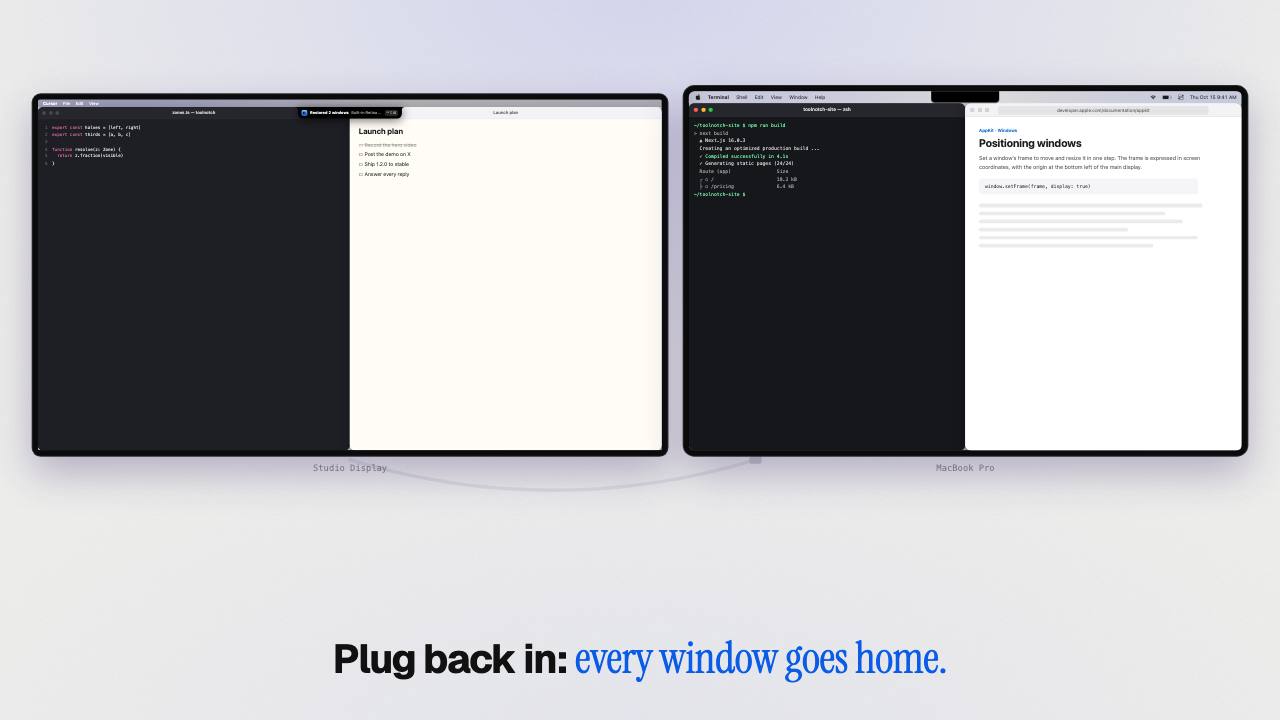
Unplug. Plug back in. Every window goes home.
Unplug, and the monitor's windows land on the laptop in the same zones. Your laptop's windows stay put. Plug back in, and each one goes back exactly where it was, on the right display. ⌃⌥⌫ undoes it.
Three windows on the Studio Display, three on the MacBook. Pull the cable, or drag its plug out.
Also in Wyndow
- Drag a window to the notch to snap it. The window already there makes room.
- ⌃⌥↩ fills the screen with a window. The same key puts it back.
- Desks: ⌘S saves where every window is, ⌘1 puts them all back, across your macOS Spaces.
- Native tabs move as one window.
Why macOS piles your windows on the laptop when you unplug a monitor →
Staywake · Keep your Mac awake
The build was nearly done when the Mac went to sleep.
Awake while your work runs. Asleep after.
- Click Notchi in the hub's footer: awake for 30 minutes, 1 hour, 3 hours or until you stop it, with or without the screen on.
- On its own while a terminal command works, such as a build, a download or an AI agent. It lets go two minutes after.
- Back at your desk, the notch says what finished while you were away: “claude finished · 42 min”.
- A low battery stops it.
One tenant. A costume per tool.
Notchi is the island under your notch, with a face. Pick an outfit and a colour: the whole page follows.
He lives in your notch and runs four tools that should have come with your Mac. Pick an outfit.
Your colour is his colour.
Pick an accent in Settings and Notchi wears it, along with every button in the app. Light colours get darker features so his face stays readable.
On this page Notchi stays out as your guide. On your Mac he only shows up when something happens, and only as much as it deserves.
More tools are coming.
More tools are coming. Your licence includes them.
Each one arrives as a free update, with its own costume. No names or dates promised.
Pay once. Keep every costume.
One licence for three Macs: today's four tools, every future Toolnotch tool and every update. No subscription, no account.
- Now$4.99first 10
- $9.99next 100
- $19.99after that
- Clipboard, screen breaks and window snapping
- Every future Toolnotch tool, as it ships
- Every update, included
- Use it on 3 Macs
- Yours to keep: the licence never expires
- Licence key by email. No account.
- 14-day refund, no questions asked
Buying separately
- A window manager
- $9.99 once
- A break reminder
- $19 once
- A clipboard manager
- $29.99 / year
- First year
- $58.98
- Then, every year
- $29.99
Typical prices of well-known apps for each job, Oct 2026.
How buying works
- Pay on Polar's secure checkout. Polar is the seller and handles VAT.
- The app downloads as soon as you've paid, and your licence key arrives by email.
- Open Toolnotch and paste the key in Settings › General › Licence. No account, no sign-in.
Mac fixes, explained.
Mac windows move when you unplug a monitor: how to get them back
Unplug an external display and macOS piles its windows on your MacBook, and often leaves them there. Why, the free workarounds, and an automatic fix.
Read →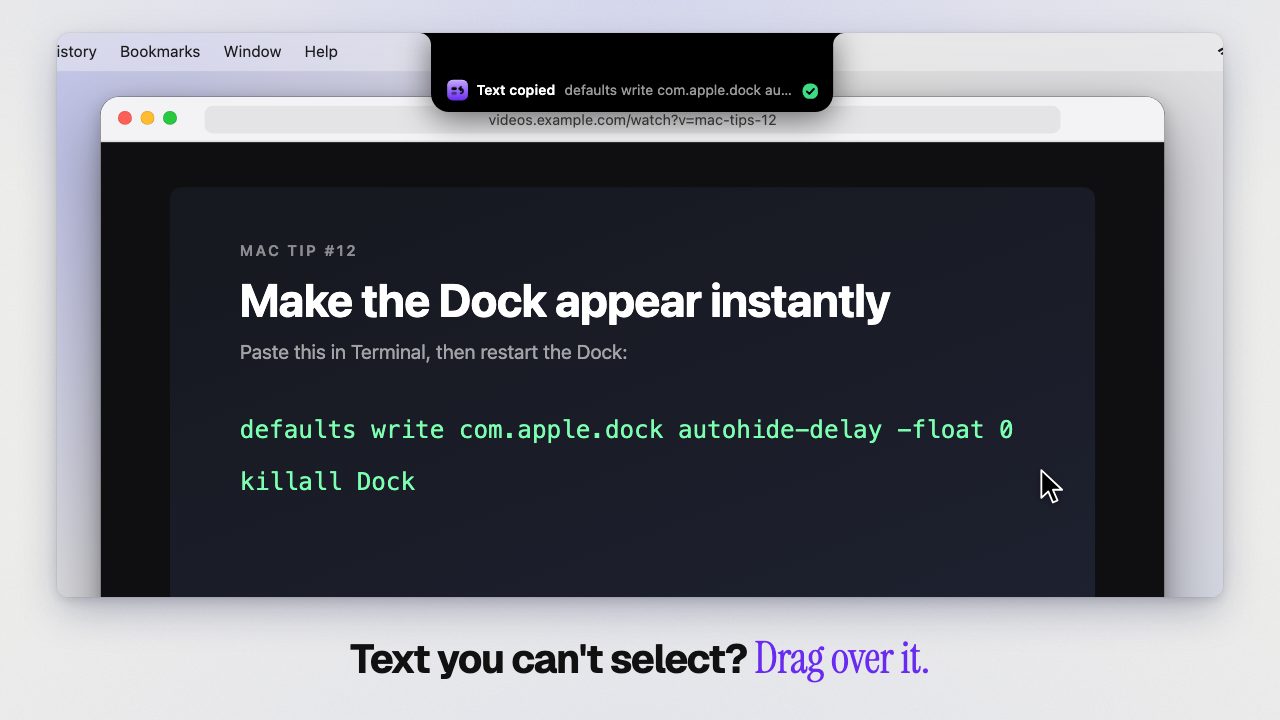
How to copy text from an image, video or screen share on Mac
Copy text you can't select on a Mac: in a screenshot, a photo, a PDF scan, a paused video or a shared screen. Built-in Live Text first, then one shortcut.
Read →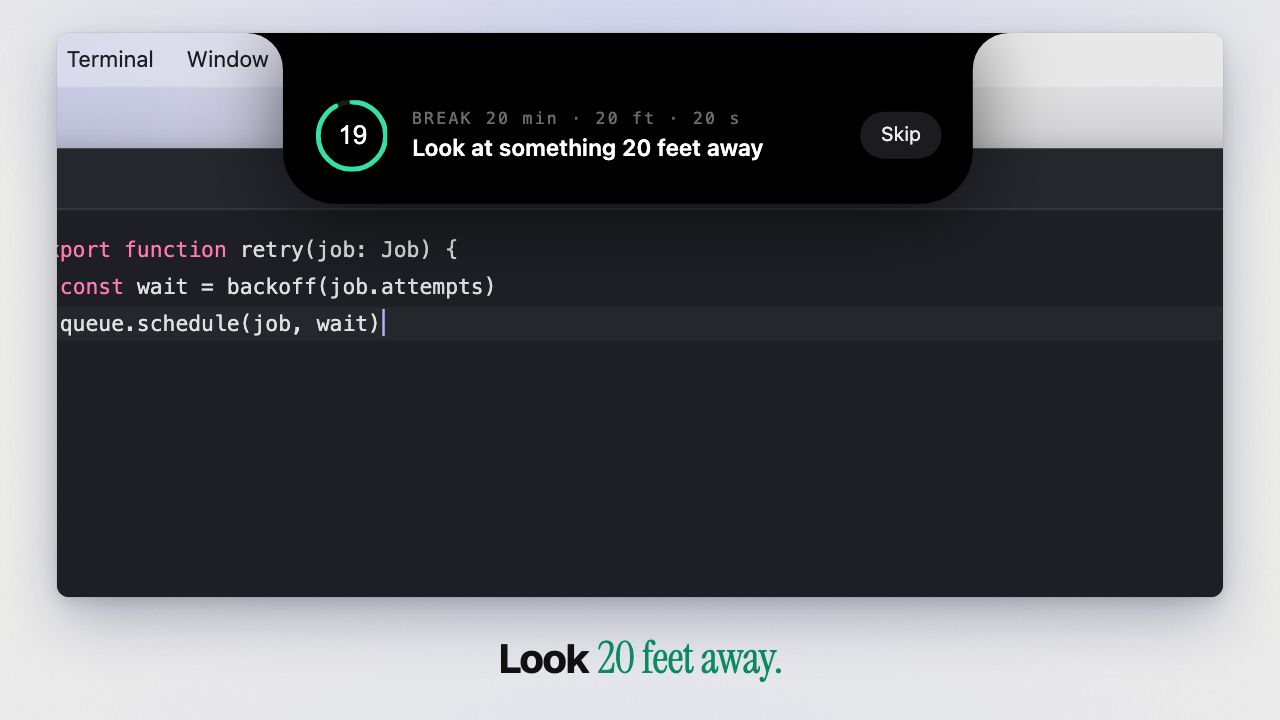
The 20-20-20 rule for eye strain: what it does, and what the evidence says
Why long screen sessions tire your eyes, what the 20-20-20 rule is, what studies actually found, and how to make the breaks happen on a Mac.
Read →
Questions.
Can I try it before buying?
Right here: the demos on this page are the app's interface, rebuilt in HTML, and they work with the real shortcuts. There is no trial version of the app. Buy Toolnotch, use it for up to 14 days, and if it isn't for you, write to support@toolnotch.app for a full refund. No questions asked.
How does the licence work?
One licence covers three Macs, every update and every future Toolnotch tool. The app downloads as soon as you've paid, and your licence key arrives by email right after. Paste it in Settings › General › Licence. No account, no sign-in.
Which Macs are supported?
macOS 15 Sequoia or later, Apple silicon and Intel.
Does it work without a notch?
Yes. On a display without a notch, every panel hangs from the centre of the menu bar with the same shape, on the screen you are using.
Which permissions does it need?
Window snapping needs Accessibility access, like every Mac window manager. The clipboard reads the pasteboard to keep your history. Breaks check whether the microphone or camera is in use, to pause during calls; nothing is recorded. ⇧⌘2 asks for Screen Recording the first time you use it.
What happens to my data?
Your clipboard history, the text read in your screenshots, break stats and layouts stay on your Mac. No cloud, no account, and the app has no analytics. Two things go online: link previews fetch the title and icon of a page from the site you copied it from (you can turn them off), and the licence check described below. Secrets such as API keys are masked on screen, and links that carry a key are never loaded or previewed. The privacy policy has the details.
More questions
Does Toolnotch need to be online?
Once in a while, for the licence. About once a week, in the background, the app checks your licence with Polar, the shop that sold it: it sends the licence key and this Mac's name (so you can recognise it in Polar's portal), nothing else, and there is no account. Offline, it keeps working for up to 30 days, then asks you to reconnect once.
What is the refund policy?
14 days from purchase, full refund, no questions asked. Email support@toolnotch.app from the address you bought with; Polar processes the refund.
Which updates are included?
All of them, delivered inside the app, and every new Toolnotch tool as it ships, at no extra cost. Your licence never expires.
How does the launch price work?
The first 10 buyers pay $4.99 and the next 100 pay $9.99. After that, Toolnotch is $19.99. Nothing else changes: the licence, the three Macs, the updates and the new tools are the same for everyone.
Will it conflict with my other apps?
Toolnotch detects shortcut conflicts and lets you remap any shortcut. If you keep another app for one job, turn that Toolnotch tool off.
I already use a free window manager. Why pay?
Keep it if it does the job. Toolnotch's window manager adds two things: every window goes back where it was when you plug your display in, and workspaces also open apps and pause your breaks. And it comes with the other two tools.
I already have a clipboard manager.
Toolnotch's history lives in the notch, with previews, masked secrets, pinned items, a Paste Stack and search that finds the words inside screenshots. It stays on your Mac: there is no cloud and no iPhone sync. If you'd rather keep your current app, turn Toolnotch's Clipboard off.
Who am I buying from?
Polar (polar.sh) is the merchant of record: it takes the payment, issues the invoice and handles VAT. Toolnotch is made by an independent developer in France; the legal notice names them.
Anything else? A human answers at support@toolnotch.app.